Connect a Warehouse
Experimentation is in beta.
Experiment data (exposures and conversion events) is stored and queried in a data warehouse. Each environment has one warehouse connection, and it must be in place before you can create experiments.
The managed Flagsmith warehouse is only available on Flagsmith Cloud. When self-hosting on PostgreSQL, you can use the Flagsmith database instead. See Self-Hosting and Open Source for what each option needs deployed.
On Flagsmith Cloud, connecting your own ClickHouse, Databricks or PostgreSQL requires a Scale-Up or Enterprise subscription. Self-hosted Flagsmith has no plan restriction.
Connect the Flagsmith warehouse
Flagsmith can store experiment events for you, with nothing to provision. On Flagsmith Cloud, this is the managed Flagsmith warehouse. When self-hosting on PostgreSQL, it is the Flagsmith database, the database your installation already runs on.
Flagsmith Cloud
- Go to Environment Settings › Warehouse.
- Select Flagsmith and click Enable, then confirm.
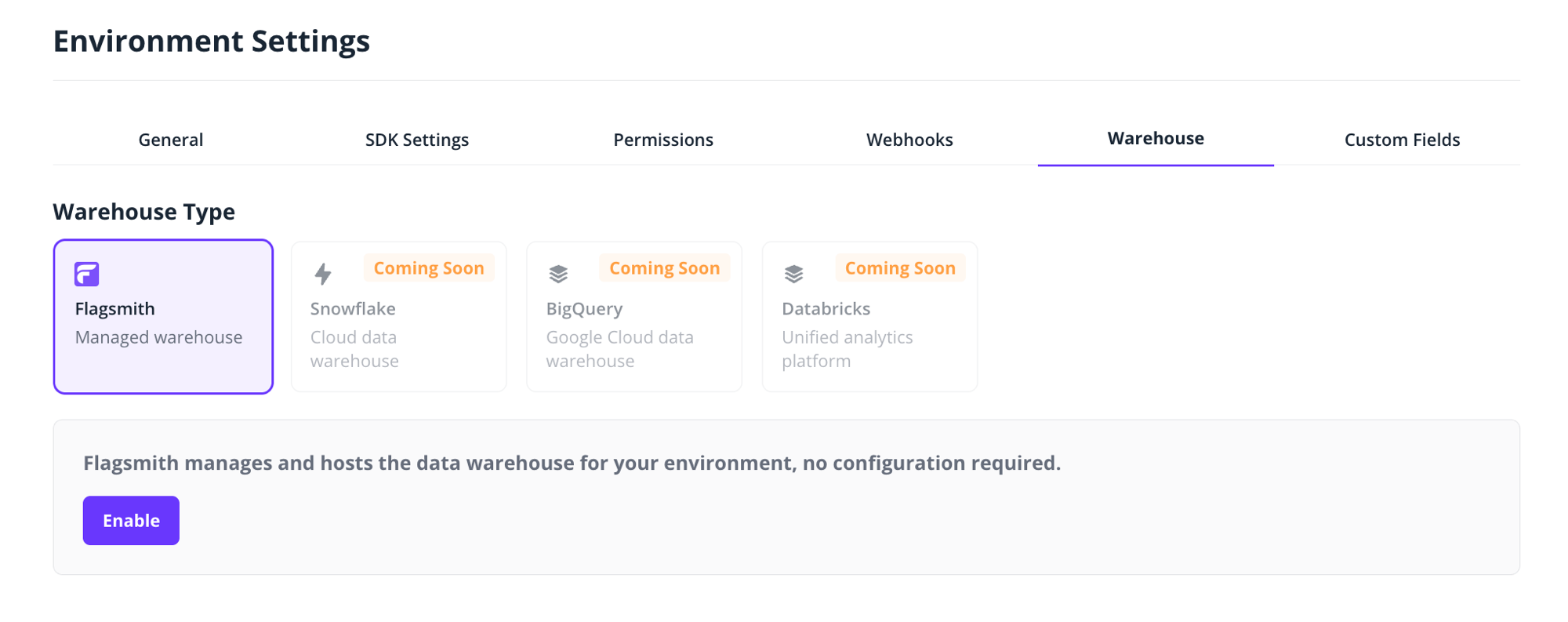
The connection is created immediately. To verify that events can flow, click Send your first event and Flagsmith sends a test event on your behalf. The connection shows Pending Connection while it waits for the first event, and switches to Connected as soon as the environment's first event arrives; an event sent from your own application counts too, not just the test event.
Processing the first event can take up to a few hours. The status refreshes about once a minute while you keep the Warehouse tab open.
Once connected, the warehouse card shows the total number of events received and the number of unique event names, which is useful to verify that instrumentation data is arriving.
Self-hosted: use the Flagsmith database
This needs EXPERIMENTATION_ENABLED=true on the API and a PostgreSQL database; it fails on MySQL or Oracle. See
Self-Hosting and Open Source.
- Go to Environment Settings › Warehouse.
- Select Flagsmith database and click Enable, then confirm.
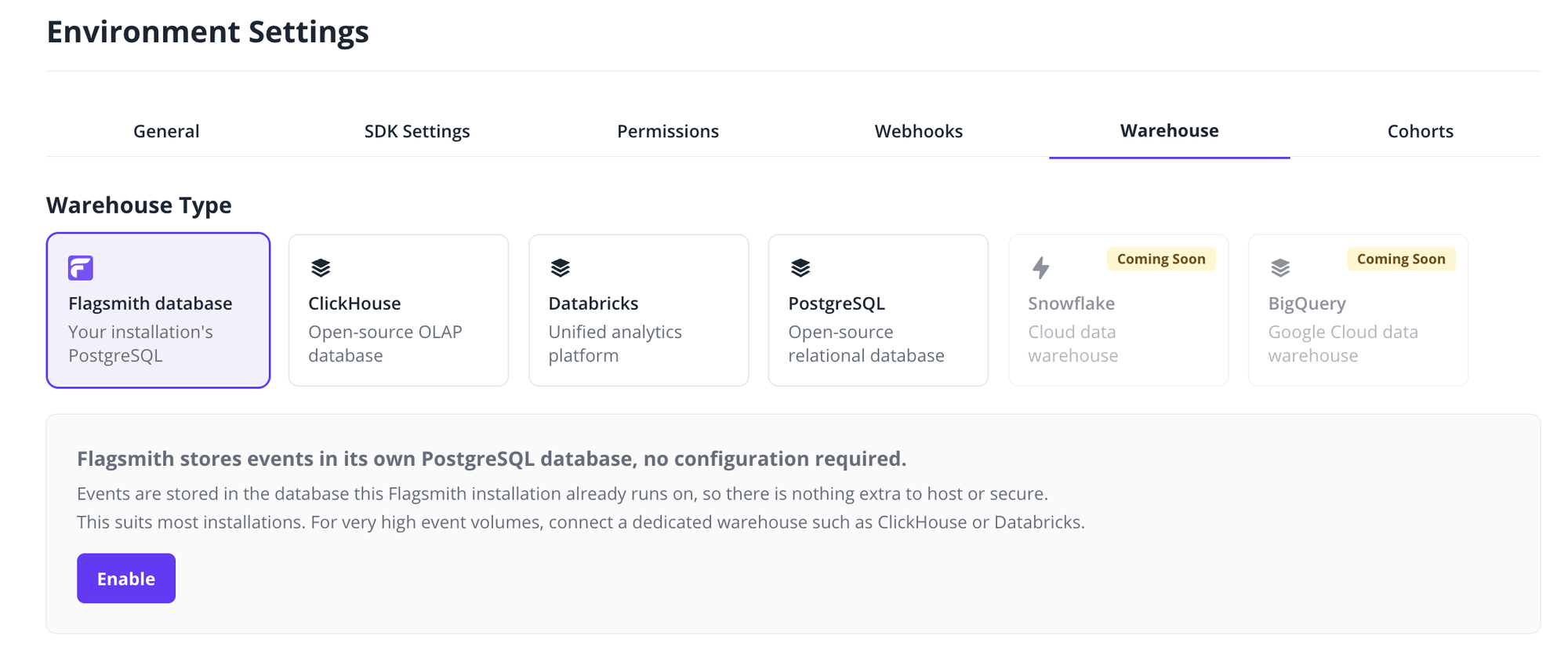
The connection shows Connected straight away. If Flagsmith can't read the events table, it shows Errored with the reason; fix it and click Test connection on the card.
Then set each SDK's events URL to your Flagsmith API URL ending in /api/, for example
https://flagsmith.example.com/api/. Don't add v1/events; the SDKs append it. The card shows this URL with a copy
button. For each SDK, see Initialise. To verify events arrive, click
Send your first event on the card.
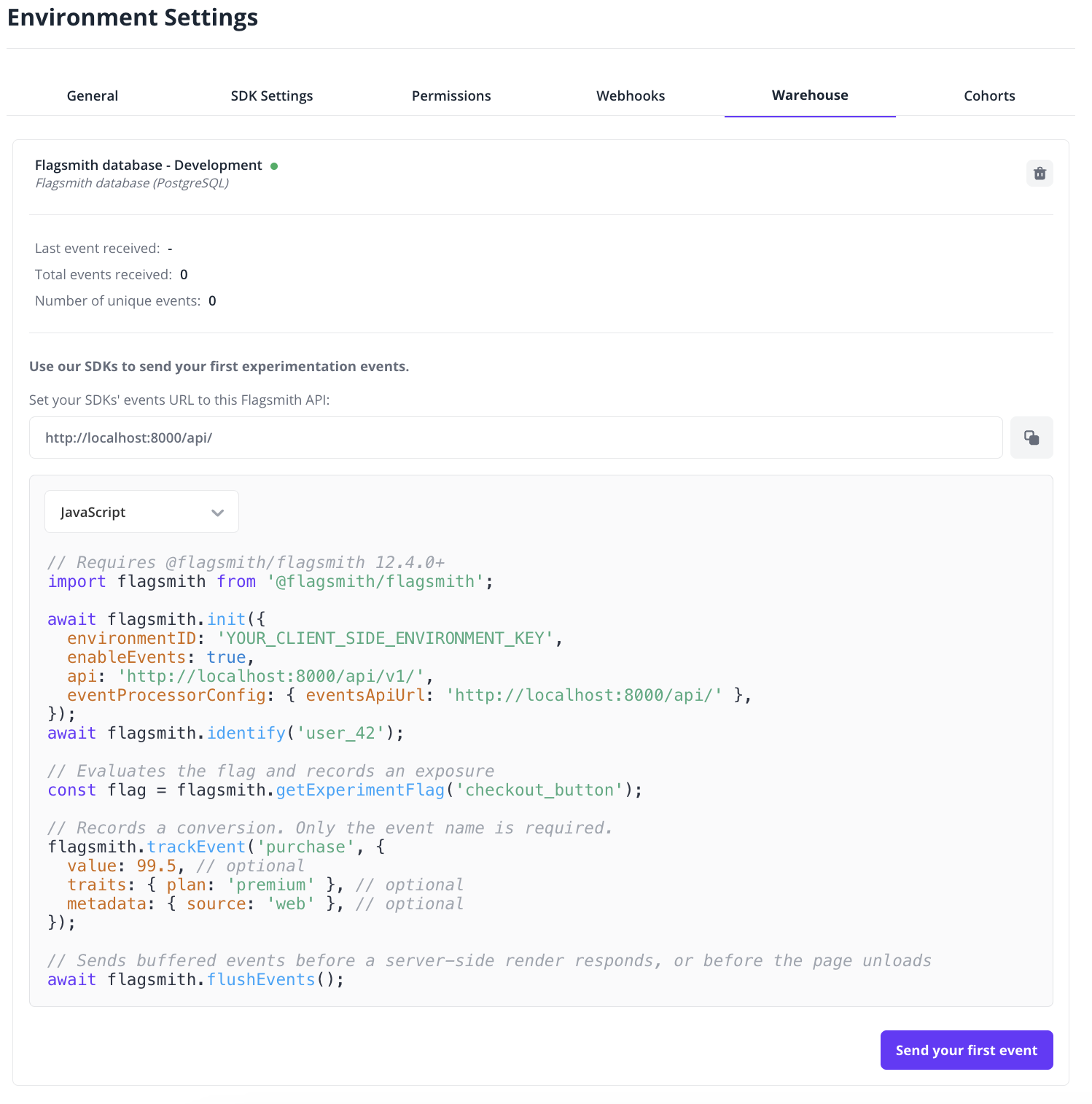
The connection has no settings to edit. To stop storing events, delete the connection; events already stored stay in the table.
Connection statuses
The current status is shown on the warehouse card in Environment Settings › Warehouse.
- Created: the connection exists but no events have been received yet.
- Pending Connection: waiting for the first event to arrive.
- Connected: events have been received; you are ready to run experiments.
- Errored: the card shows the reason. See Troubleshooting for Databricks or PostgreSQL; otherwise contact support.
Bring your own warehouse
To store experiment events in your own warehouse, and have Flagsmith compute results there, connect one of:
- ClickHouse
- Databricks
- PostgreSQL, or a PostgreSQL-compatible service. It suits low to moderate event volumes.
Coming soon
Bring your own warehouse: connections for Snowflake and BigQuery.